Shopping has never been easier. It’s also never been riskier.
According to the FTC’s Consumer Sentinel Network Data Book 2023, consumers reported losing over $10 billion to fraud, the highest figure ever recorded in a single year. Online shopping fraud and imposter scams were the top two categories. That’s not a stat buried in a footnote. That’s real money, from real people, lost during what should’ve been a normal Tuesday afternoon purchase.
This guide won’t tell you to just be careful. You already know that. What it will do is give you the specific, testable behaviors that actually close the gaps scammers exploit on TikTok Shop, Temu, Shein, your local boutique’s website, and even at a physical store checkout.
Staying safe while shopping means actively verifying sellers, protecting your payment method before you type a single digit, and knowing what a legitimate post-purchase experience looks like so you can recognize when something’s off. It’s not about avoiding new platforms. It’s about knowing which signals actually matter and which ones are easy to fake.
1. The Checkout Red Flags Most People Walk Right Past
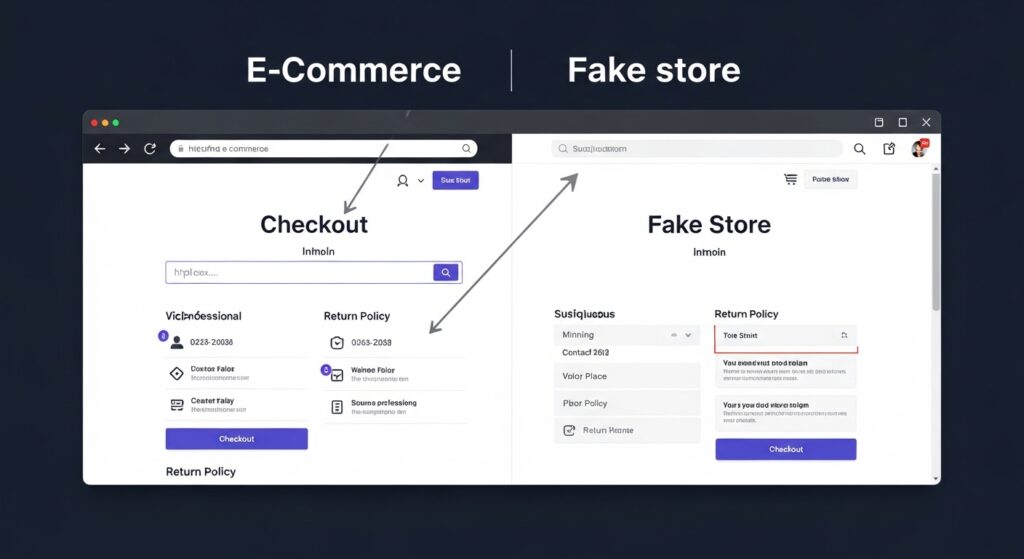
Here’s the thing: a website having https doesn’t mean it’s safe.
This is probably the most dangerous half-truth floating around consumer advice. The padlock icon and the s in https only confirm that the connection between your browser and the server is encrypted. It says nothing about whether the person running that server is legitimate. Scammers can and do set up https-enabled fake stores in about 20 minutes.
So what should you actually look at?
Domain age and history. A store running a going out of business sale that was registered three weeks ago is a massive red flag. You can check domain registration dates free at WHOIS Lookup (ICANN), A legitimate store doesn’t need to have been around for a decade, but if the domain is brand new and the deal seems too good, that combination matters.
Contact information that actually works. Try the phone number before you order. Send a test email. A real business responds. Scam operations either give you a dead number or a generic Gmail address with no reply.
Return policy specificity. Vague return policies like contacting us for returns with no timeframe, no address, and no process are a sign the seller has no intention of accepting returns. Legitimate retailers, even small ones, spell this out clearly.
Quick note: the verified by Visa or Mastercard SecureCode popup during checkout is a good sign, not a suspicious one. Many first-time shoppers on newer platforms dismiss it as a scam popup. It’s the opposite.
2. How to Protect Your Payment Information Before You Type Anything
Don’t enter your real card number on a site you haven’t verified.
That sounds obvious. But most people don’t have an alternative ready, so they do it anyway. Here’s what actually works:
To protect your payment info while shopping online, follow these steps:
- Create a free virtual card at Privacy.com before you shop anywhere new
- Set a spending limit on that virtual card equal to your order total
- Use that card number at checkout your real card details are never exposed
- If the merchant charges more than the limit, the transaction is automatically blocked
- Delete or pause the virtual card after the order confirms
That’s it. Five steps takes about three minutes the first time, thirty seconds after that.
PayPal’s buyer protection is the other strong option here. When you pay through PayPal on an unfamiliar site, you’re adding a dispute layer between yourself and the seller. If your order doesn’t arrive or doesn’t match the description, PayPal has a formal claims process with real resolution timelines. Your bank’s dispute process also works, but it’s slower and depends heavily on your specific bank’s policies.
Or maybe I should say it this way the goal isn’t to find one perfect payment method. It’s to never let a bad actor touch your primary bank account directly. How to dispute a credit card charge? Virtual cards and PayPal are the two cleanest ways to do that right now.
Quick Comparison
| Option | Best For | Key Benefit | Limitation |
| Virtual Card (Privacy.com) | Unfamiliar or one-time purchases | Real card number never exposed; spending limits | Requires setup before shopping |
| PayPal Buyer Protection | Marketplace or third-party sellers | Formal dispute process, faster than bank | Seller must accept PayPal |
| Credit Card Chargeback | Last resort on any purchase | Federal protection under Fair Credit Billing Act | Slower; bank decides outcome |
| Debit Card | Established, trusted retailers only | Convenient | Least protected; fraud hits your cash directly |
| Buy Now Pay Later (BNPL) | Split payments on big purchases | Defers cost | No buyer protection equivalent to PayPal |
Label: Quick Comparison payment safety options for online shoppers
3. Spotting Phishing Emails After You’ve Already Ordered
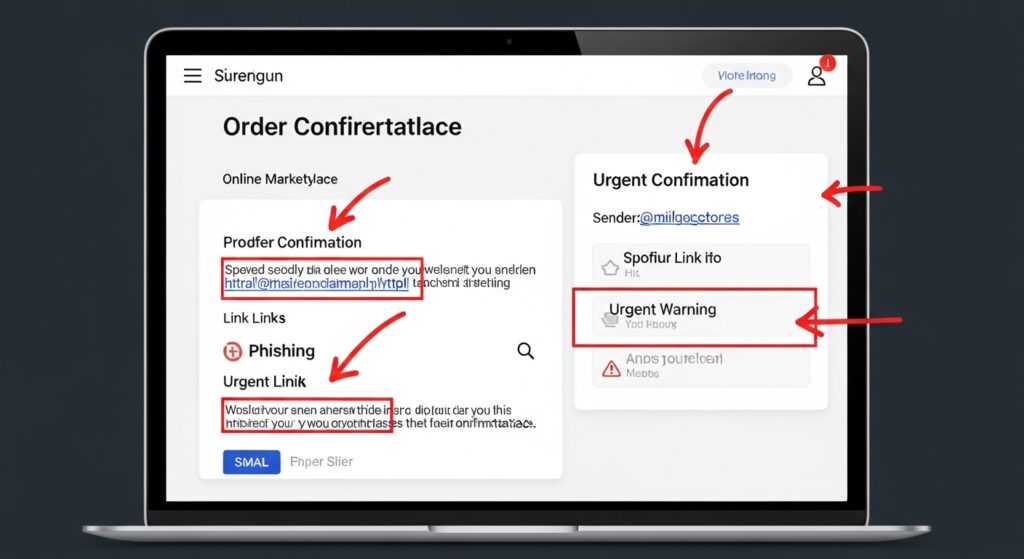
This is where most safety guides go completely silent and where a lot of people actually get hurt.
You place an order. You get a confirmation email. Then, three hours later, you get another email saying there’s a problem with your shipment, click here to verify your address. You’re expecting a package. The email looks right. You click.
That second email wasn’t from the store.
Phishing emails after a real order are specifically designed to exploit the moment when you’re already primed to engage. The attacker knows you just bought something sometimes because they scraped your email from a data breach, sometimes just by sending millions of these to see who bites.
What legitimate shipping and order emails actually look like:
They come from the same domain as the store, not a variation of it. Amazon ships from @amazon.com. Not @amazon-support.net. Not @amazon-orders.co. Hover over the sender address before clicking anything. On mobile, tap and hold the sender name to see the full address.
They don’t ask you to enter your password, re-verify your card, or confirm your identity. If there’s a genuine issue with your order, a real retailer will show that information inside your account dashboard and not demand you input credentials through an email link.
Look, if you’re staring at an email right now and it’s asking you to click to confirm your shipment address on a purchase you just made, go directly to the retailer’s website by typing the URL yourself. Don’t click the link. Check your order status there.
4. Safer Shopping on TikTok Shop, Temu, and Newer Platforms
Newer platforms aren’t inherently dangerous. They’re just less familiar and unfamiliarity creates hesitation that can push people toward bad decisions in both directions.
TikTok Shop has a buyer protection program that covers non-delivery and significantly-not-as-described items. That’s real. But it only applies to purchases made through the TikTok Shop platform, not if a seller redirects you to their personal website. Any seller who pushes you off-platform to complete a purchase is a red flag, full stop.
Temu and Shein operate under different return and dispute frameworks. Temu has a Purchase Protection program with a 90-day window. Shein offers refunds within 35 days for most items. Both have customer service but response times vary significantly and the process requires documentation. Photo your items immediately upon delivery if anything looks wrong. Date-stamped photos from your camera roll are your evidence.
I’ve seen conflicting data on dispute resolution rates for newer platforms, some consumer reports show resolution within 5–7 days, others document cases that dragged for weeks. How TikTok Shop buyer protection works, My read is that the process works reasonably well for clear-cut cases (item never arrived) and gets messier for subjective ones (item looks different from the listing). Set expectations accordingly.
The broader point: use a virtual card or PayPal on any platform you’re using for the first time, regardless of how established the brand seems. If the purchase goes perfectly, you lose nothing. If something goes wrong, you have a clean dispute path.
5. In-Store Safety Risks That Nobody Talks About Online
Most shopping safety content ignores physical retail entirely. That’s a gap worth closing.
Card skimmers are still active. They attach to ATMs, gas station pumps, and occasionally retail card readers. The physical reader looks normal but captures your card data when you swipe. The fix is simple: use tap-to-pay (contactless NFC) whenever possible. Skimmers can’t capture data from a contactless transaction because there’s no physical card track being read.
Some people argue that tap-to-pay is less secure because it doesn’t require a PIN. That’s valid for very high-value transactions or in regions with high card-present fraud rates. But for everyday retail in the US, the contactless tokenization process where a unique one-time code is generated for each transaction, not your actual card number makes it significantly more resistant to skimming than a swipe or even a chip insert.
Public Wi-Fi at malls or stores is the other in-store risk. If you’re shopping online while sitting in a mall food court on the store’s free Wi-Fi, your traffic is visible to anyone on the same network running basic interception tools. Either use your phone’s mobile data, or if you must use public Wi-Fi, make sure you’re on a site with https and avoid saving new payment methods or logging into financial accounts during that session.
Receipt security is a minor but real point. Printed receipts can contain partial card numbers. Don’t leave them on the table or toss them in an open trash can near the register. Shred them at home or use digital receipts where the option exists.
6. How to Verify a Seller Before You Buy The 5-Minute Check
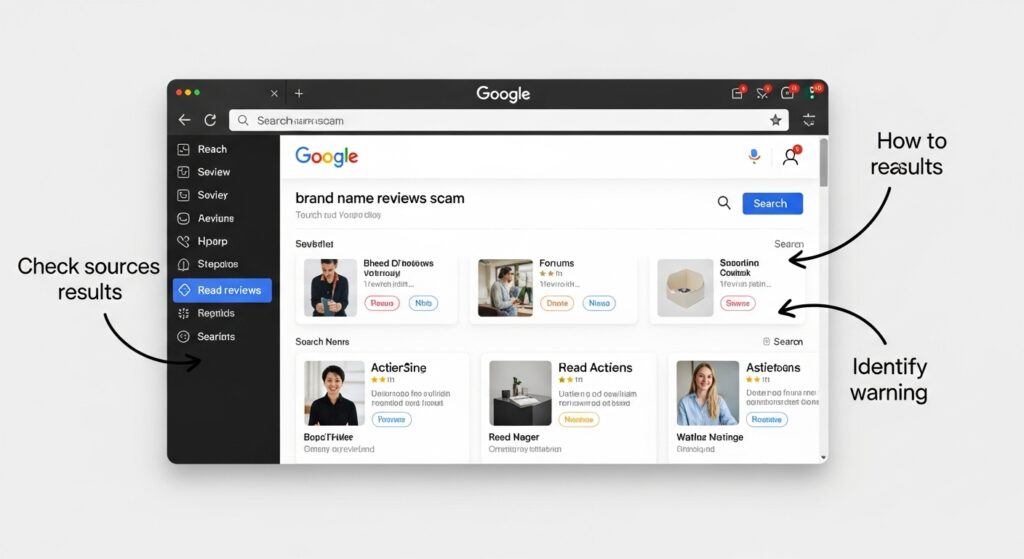
You don’t need to spend hours researching every purchase. You need a fast, reliable process you’ll actually use.
Step 1: Search [store name] + reviews + scam not just [store name] reviews. The second search surfaces curated positive reviews. The first surface complaints.
Step 2: Check the Better Business Bureau (BBB) and Trustpilot. Neither is perfect BBB ratings can be gamed, and Trustpilot has fake review issues but a pattern of similar complaints (non-delivery, wrong items, no customer service response) is a real signal.
Step 3: Look at Google Shopping. Sellers with Google’s verified badge have met baseline identity and policy requirements. It’s not a guarantee, but it filters out the most obvious fly-by-night operations.
Step 4: Check the social media presence. A store with 50,000 Instagram followers but posts going back only two months and zero tagged customer photos is performing legitimacy, not demonstrating it.
Step 5: Look for a physical address that resolves on Google Maps. Not every legitimate online retailer has a storefront, but a real business address (not a UPS mailbox listed as headquarters) adds a layer of accountability.
Most people assume that a high social media following proves a store is real. The data says otherwise follower counts are purchasable, and many scam operations build out social profiles specifically to appear credible before launching a fraud campaign.
What most guides skip is the reverse check: look at who’s tagging the brand, not just the brand’s own content. Real customer posts have messy, unfiltered photos, varying opinions, and comment sections with legitimate back-and-forth. Fake or astroturfed brands have suspiciously uniform positive content.
FAQs
Q: What’s the best way to pay safely when shopping on an unfamiliar website?
A: Use a virtual card from Privacy.com or pay through PayPal. Both keep your real card number out of the transaction and give you a dispute path if something goes wrong.
Q: How do I know if an online store is a scam before I buy?
A: Search the store name plus scam or reviews, check Trustpilot and the BBB for complaint patterns, verify the domain age on ICANN’s WHOIS lookup, and test their contact information before ordering.
Q: Should I use public Wi-Fi when shopping online?
A: Avoid it if you can. Use your phone’s mobile data instead. If you must use public Wi-Fi, stick to https sites and don’t save new payment methods or log into financial accounts during that session.
Q: Why does my bank’s fraud protection not cover everything?
A: Debit card fraud hits your actual cash, and dispute resolution can take 5–10 business days. Credit cards offer stronger federal protection under the Fair Credit Billing Act, but chargebacks still take time. Virtual cards and PayPal resolve faster.
Q: When should I use tap-to-pay instead of swiping my card?
A: Always, when the option exists in-store. Tap-to-pay uses one-time tokenization, your real card number isn’t transmitted which makes it resistant to card skimmers that target swipe and chip readers.