Your products are live. Your store is set up. And the Shop tab is showing you nothing.
Not low traffic. Nothing.
This isn’t bad luck. The Shop tab operates on a set of ranking signals that TikTok’s own onboarding documentation barely mentions and most sellers don’t find out what those signals are until they’ve already wasted weeks posting videos that drive zero tab impressions.
This guide fixes that.
What the TikTok Shop Tab Actually Is (And Why Most Sellers Misread It)
The TikTok Shop tab is a dedicated in-app browse surface where users discover and purchase products without leaving TikTok. It functions as an algorithmic product feed similar to the For You Page, but commerce-first ranking listings based on seller performance signals, pricing competitiveness, and product relevance rather than video content alone.
The Shop tab sits at the bottom navigation of the TikTok app. It’s separate from the For You feed. Separate from search. And critically it’s separate from whatever happens when you tag a product in a video.
Most sellers conflate these three surfaces. That’s the first mistake.
When a user opens the Shop tab, TikTok is not showing them your content. It’s showing them products ranked by an algorithm that evaluates your listing data, your seller account health, and your fulfillment track record. Video performance helps, but it’s not the primary driver here.
According to TikTok for Business (2024), over 500,000 merchants are active on TikTok Shop in the US alone. The majority of Shop tab traffic concentrates among a fraction of those sellers, the ones who meet TikTok’s quality, pricing, and fulfillment thresholds simultaneously. Not just one of the three. All three.
Here’s the thing: most sellers optimize for one signal and ignore the other two. That’s why their impressions stay flat.
The Four Ranking Signals That Control Your Shop Tab Visibility

This is what TikTok’s University documentation doesn’t tell you. Not in plain language, anyway.
1. Listing Quality Score
TikTok evaluates your product listings the same way a search engine evaluates a web page. Title relevance, image quality, description completeness, and attribute accuracy all feed into what the platform internally scores as listing quality.
Sellers who copy titles directly from Amazon or their own websites almost always underperform. Amazon titles are keyword-stuffed for a different algorithm. TikTok’s listing algorithm rewards natural language, specific product attributes (size, color, material, use case), and titles that mirror how a TikTok user would actually search for that item.
Quick note: your main product image matters more than most guides admit. TikTok has confirmed in Seller Center documentation that image-to-click rate influences feed placement. A product photo that looks like a stock image from 2017 will suppress your impressions regardless of how good your title is.
2. Pricing Competitiveness
TikTok compares your product price to similar items already performing on the Shop tab. This is not speculation; it’s documented in TikTok Shop Seller Center under the Product Compliance and Quality section.
If your price is significantly above the category average for a comparable product, the algorithm deprioritizes your listing in browser feeds. This doesn’t mean you have to race to the bottom. It means your price needs a reason and that reason needs to show up in your listing (bundle value, warranty, exclusive variation, etc.).
I’ve seen conflicting data on exactly how large the price gap needs to be before suppression kicks in some community reports say 15%, others say the threshold is closer to 25–30%. My read is that pricing is a relative signal, not a hard cutoff, and it interacts with your review count and seller rating. A highly-rated seller with strong reviews can sustain a higher price point in the feed.
3. Seller Health Metrics
This is the one most sellers completely overlook until something breaks.
TikTok Shop tracks four seller health metrics that directly influence Shop tab eligibility:
- Order fulfillment rate (target: above 95%)
- On-time shipping rate (target: above 90%)
- Return and dispute rate (lower is better keep below 2%)
- Response rate to buyer messages (target: above 80% within 24 hours)
Drop below threshold on any of these and your Shop tab impressions can crater even if your listings are perfectly optimized. The algorithm treats poor seller health as a trust signal risk to buyers. It protects the browsing experience by suppressing low-health accounts.
4. Review Velocity and Rating
New listings with zero reviews are at a structural disadvantage in the Shop tab. Not a permanent one but a real one.
TikTok weights both the quantity and recency of reviews. A product with 12 reviews received over the last 30 days outranks a product with 50 reviews collected over 18 months in most category contexts. This is consistent with how TikTok thinks about content freshness across all of its surfaces.
What most guides skip is the interaction effect: a product with 12 recent reviews and a high star rating (4.7+) and a competitive price gets a multiplicative boost — not just additive. These signals compound.
Shop Tab vs. Video Feed vs. Livestream: Why Treating Them the Same Kills Your Results
Shop Tab vs. Video Feed: The Shop tab ranks products based on listing quality, pricing, and seller health it runs independently of video performance. The video feed surfaces products tagged in content, driven by video engagement signals. The key difference is that Shop tab placement requires listing optimization; video feed placement requires content performance. A seller needs both working simultaneously to maximize TikTok Shop revenue.
Look, if you’re spending all your energy creating TikTok videos and tagging products hoping that drives Shop tab traffic, here’s what actually works: video content and Shop tab optimization are parallel tracks. They feed each other, but neither substitutes for the other.
A video that goes viral with a tagged product will spike your sales through the video feed. It may also improve your Shop tab ranking because the resulting sales velocity and review accumulation send positive signals back to the listing algorithm. But the video alone doesn’t get you into the Shop tab browse feed on its own.
The sellers who dominate TikTok Shop revenue are running a three-surface strategy:
| Surface | What Drives Placement | Primary Optimization Action |
| Shop Tab | Listing quality + seller health + pricing | Optimize titles, images, pricing, and maintain fulfillment KPIs |
| Video Feed | Video engagement + product tag | Create content; tag products in high-performing posts |
| Livestream | Live session engagement + GMV | Run regular live sessions with product showcases and limited-time offers |
Quick Comparison
Shop Tab vs. Livestream: The Shop tab is a passive discovery surface buyers find you without a live event. Livestream requires active seller participation but converts at higher rates during sessions. Best approach: use listing optimization to win Shop tab placement, use livestream to accelerate review velocity and GMV signals that reinforce your tab ranking.
How to Optimize Your Listings for Shop Tab Placement: A Step-by-Step Framework
To optimize a TikTok Shop listing for Shop tab visibility, follow these steps:
1. Rewrite your product title using the natural TikTok search language including product type, key attribute, and use case.
2. Replace generic stock photos with clean, bright, lifestyle-context images at 1:1 ratio.
3. Price-check your listing against the top 5 Shop tab results in your category.
4. Complete all product attributes in Seller Center never leave optional fields blank.
5. Fulfill your first orders within 24–48 hours to establish a strong initial shipping rate.
Here’s how to execute each step without guessing.
Step 1: Rewrite Titles for TikTok Search Behavior
TikTok users search differently than Amazon or Google users. They use shorter, more conversational phrases. They search for outcomes and occasions, not just product specs.
Test this: open TikTok Shop as a buyer and start typing your product category. Watch the autocomplete suggestions. Those are real search queries from real users. Build your title around what surfaces there not what your supplier gave you.
A title like Stainless Steel 40oz Insulated Tumbler with Handle and Straw Leak Proof, BPA Free, Perfect for Gym and Commute works on Amazon. On TikTok, something like 40oz Tumbler with Handle | Leak Proof | Gym & Commute is cleaner, faster to read in a feed, and maps to how buyers actually search the Shop tab.
Step 2: Upgrade Your Product Images

Your hero image is your click-through rate. Full stop.
TikTok’s feed is visual-first. A product image needs to communicate value in under two seconds on a mobile screen. Use a clean white or lifestyle background (category-dependent), show the product in use where possible, and avoid text overlays on your main image TikTok’s algorithm can suppress listings that look like ads rather than organic products.
Step 3: Audit Your Pricing Against Live Shop Tab Results
Don’t guess your competitive price position. Use Kalodata or Shoplus two third-party TikTok Shop analytics tools to see what price points are actually driving sales volume for top-performing products in your category. Both tools show estimated GMV, unit sales, and trending product data pulled from TikTok Shop’s public-facing data.
This is more accurate than manually scrolling the Shop tab because these tools show sales performance not just listing presence.
Step 4: Complete Every Attribute Field
Incomplete product attributes are an invisible Shop tab suppressor. TikTok uses attribute data to match listings to category browse pages and subcategory filters. If you leave size, color, material, or subcategory fields blank, your listing may not surface in filtered browsers which is a significant portion of Shop tab traffic.
In the TikTok Shop Seller Center, go to your product listing and scroll to the attribute section. Fill every field. Even the ones that feel redundant. This takes 10 minutes per listing and directly affects your eligibility for browser placement.
Step 5: Protect Your Fulfillment Metrics From Day One
Or maybe I should say it this way: your listing optimization is worthless if your fulfillment metrics disqualify you from tab placement.
New sellers often don’t realize that TikTok begins scoring your account from the first order. A delayed shipment on order #2 because you weren’t ready for demand is a real risk to your early account health score. Before driving any traffic to your listings, confirm your shipping workflow, carrier integration, and inventory levels can handle a sudden spike even a small one.
Using TikTok Shop Seller Center and TikTok University to Track Tab Performance
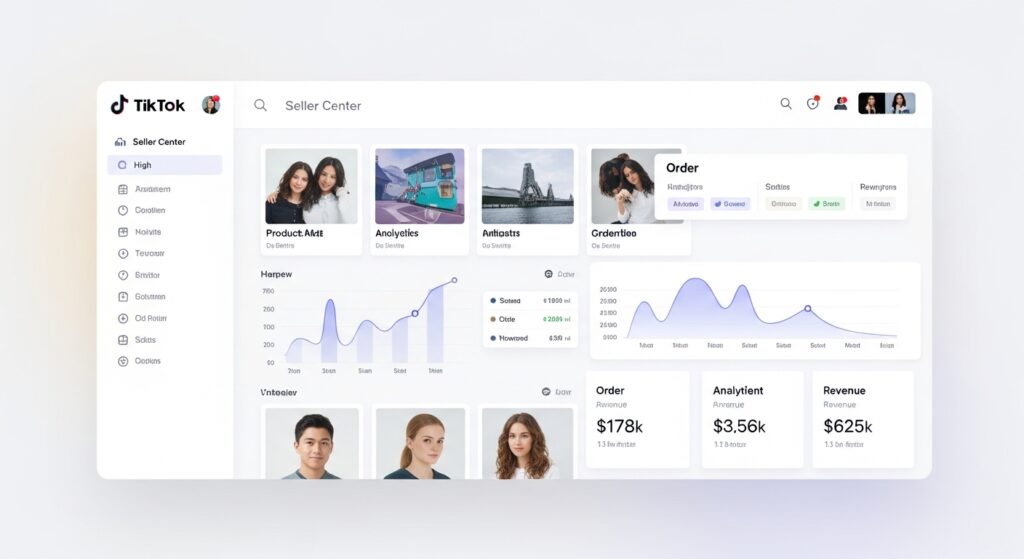
TikTok Shop Seller Center is where your Shop tab performance data lives. Specifically, the Traffic Analytics section shows you impressions, clicks, click-through rate, and conversion rate broken down by traffic source including Shop tab as a distinct source.
Most sellers look at total sales. The more useful habit is monitoring Shop tab impression trends over a rolling 14-day window. If impressions are flat or declining after you’ve optimized listings, the issue is almost always either pricing or seller health not listing quality. Use that as your diagnostic logic.
TikTok Shop University is TikTok’s own free educational hub. It’s worth bookmarking, and several of the modules on product compliance and quality are genuinely useful. The limitation and it’s a real one is that University content is written to be policy-compliant, not strategically actionable. It tells you what TikTok expects. It doesn’t tell you how those expectations translate into ranking outcomes.
That’s the gap this guide fills.
Some experts argue that TikTok University should be your primary learning resource since it comes directly from the platform. That’s valid if your goal is understanding TikTok’s rules and policies. But if your goal is competitive Shop tab placement, you need to layer third-party analytics, seller community data, and performance testing on top of what University teaches because University content is intentionally platform-neutral and doesn’t reveal algorithmic weighting.
FAQs
Q: What’s the best way to get my products featured on the TikTok Shop tab?
A: Optimize listing titles for TikTok-native search language, price competitively against top Shop tab results in your category, maintain seller health metrics above TikTok’s thresholds, and build review velocity on new listings within the first 30 days.
Q: How do I know if TikTok Shop is showing my products in the browse feed?
A: Open Seller Center, go to Traffic Analytics, and filter by Shop tab as the traffic source. If Shop tab impressions are near zero, your listings are not currently ranking in the browse feed check listing completeness, pricing, and your seller health score first.
Q: Why does my competitor show up on the TikTok Shop tab but I don’t?
A: Competitors with Shop tab placement typically have better listing quality scores, more competitive pricing, stronger seller health metrics, and higher review velocity. Use Kalodata or Shoplus to analyze which specific factors their top-performing listings have that yours currently lack.
Q: Should I focus on TikTok videos or Shop tab listing optimization first?
A: Start with listing optimization. Videos drive video feed traffic, not Shop tab placement. A well-optimized listing can earn Shop tab impressions passively even with minimal video content while a poor listing will underperform regardless of how many videos you post.
Q: When should I use TikTok Shop University versus third-party resources?
A: Use TikTok University for policy understanding, compliance requirements, and platform feature education. Use third-party resources like this guide, Kalodata, and seller community data for ranking strategy, competitive analysis, and Shop tab optimization tactics that University content doesn’t cover in actionable depth.
This guide covers Shop tab ranking signals and listing optimization strategy. It does not address TikTok Shop affiliate program setup, creator partnership management, or ad campaign strategy those are separate surfaces with different optimization frameworks.