Getting a listing flagged feels personal. It isn’t. TikTok Shop’s compliance system is largely automated, and it doesn’t leave much room for I didn’t know. That’s the problem and that’s exactly why this guide exists.
Whether you’re building your first shop or you’ve already hit a removal notice, here’s what the policy actually says, what it means in practice, and what to do when things go wrong.
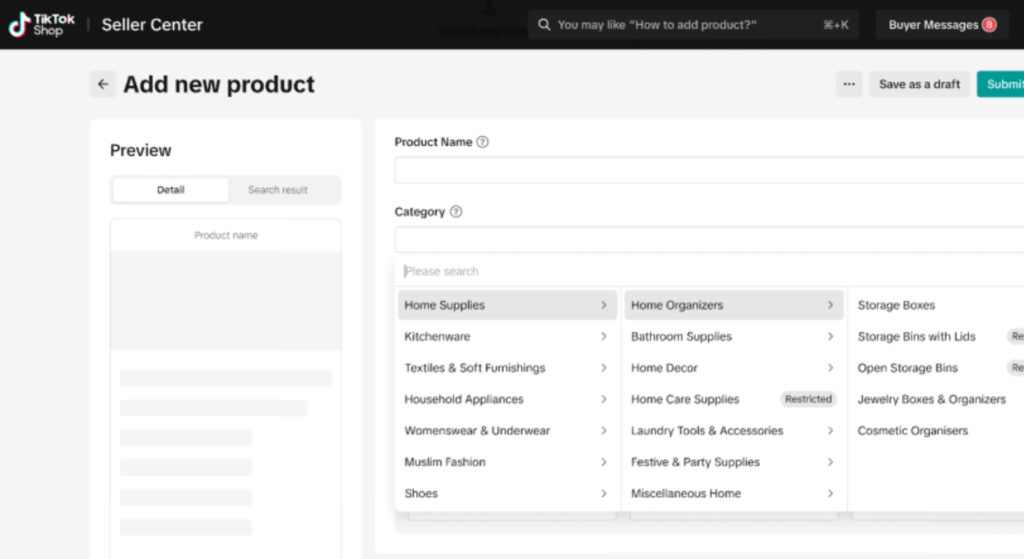
What TikTok Shop’s Product Listing Policy Actually Covers
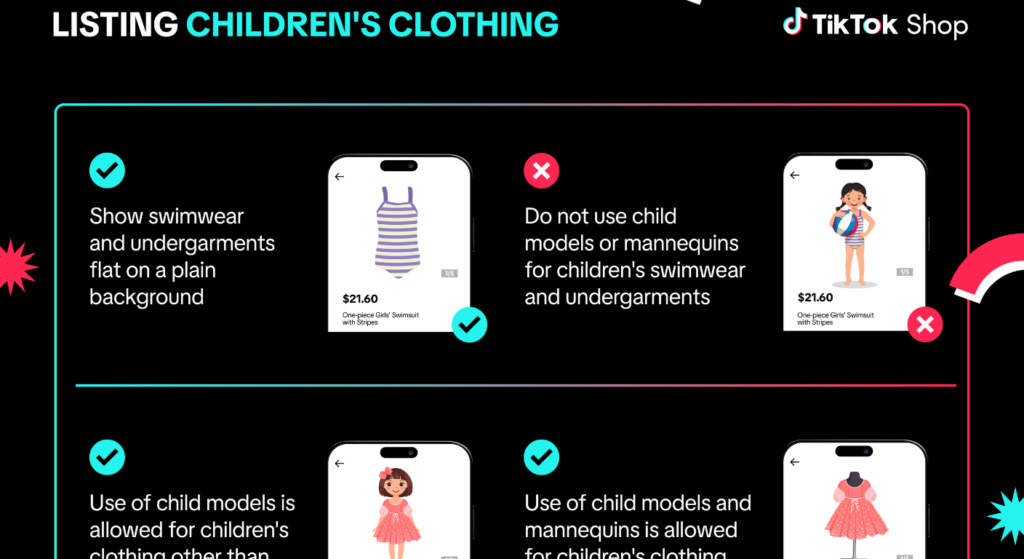
Product listing policy on TikTok Shop refers to the full set of rules governing what sellers can list, how listings must be structured, what content is allowed in images and descriptions, and which product categories require special approval. It sits inside the broader TikTok Shop Seller Terms of Service but operates as its own enforcement layer meaning violations here can trigger penalties even if your account is otherwise in good standing.
TikTok Shop’s policy framework breaks into three distinct zones:
- Prohibited products: items that cannot be sold under any circumstances
- Restricted products: items that can be sold only with pre-approval or category authorization
- Listing content standards: rules about how you present any product, regardless of category
Most sellers run into trouble in the third zone. They’re selling something perfectly legal but triggering a flag because of how the listing is written, what the image shows, or what claims appear in the description.
Quick note: The difference between prohibited and restricted matters enormously. A restricted product can often be unlocked. A prohibited product cannot and listing one, even accidentally, starts a penalty clock on your account.
Prohibited Products: What Can Never Be Listed
This list is non-negotiable. According to TikTok Shop’s official Seller Center policy documentation (updated 2024), the following categories are fully prohibited on the US platform:
- Weapons, firearms, and ammunition (including accessories that convert legal items to illegal configurations)
- Controlled substances and drug paraphernalia
- Counterfeit goods and replica products including inspired by items with brand-adjacent design elements
- Products making unverified medical or health cure claims
- Endangered wildlife products or items derived from protected species
- Tobacco, cigarettes, and most nicotine delivery products
- Recalled products (any item on the CPSC recall list at time of listing)
- Hazardous materials that cannot be shipped safely under standard carrier guidelines
Here’s the thing: several of these categories are broader than they first appear.
Replica-adjacent fashion accessories is one that catches sellers off guard. A handbag that uses a font similar to a luxury brand’s logo, even without that brand’s name, can trigger a counterfeit flag. TikTok’s image-recognition system is aggressive. Sellers using Printful for print-on-demand products have reported flags on designs that reference pop culture imagery even when the seller believed they had licensing rights.
The platform does not verify your licensing status before flagging. It flags first and asks questions later.
Restricted Categories: What Requires Pre-Approval
Restricted products aren’t banned but they require authorization before your listing goes live. Trying to list in these categories without approval results in an automatic rejection and, after repeated attempts, a policy strike.
Current restricted categories on TikTok Shop US (2025):
| Category | Approval Required | Common Issue |
| Dietary supplements | Category authorization + lab documentation | Unverified health claims in description |
| Beauty and skincare | Ingredient compliance review | FDA-regulated claims (e.g., “treats acne”) |
| Medical devices | FDA registration documentation | Misclassification as “wellness” products |
| Alcohol-adjacent products | Age-gating confirmation | Listing without required age verification setup |
| Live animals and plants | USDA/state permit verification | Sellers not knowing plants require phytosanitary certs |
| Children’s products | CPSC compliance documentation | Missing choking hazard warnings |
Quick Comparison
Restricted vs. Prohibited listings: A restricted listing can be unlocked through the Seller Center authorization flow because the product itself is legal to sell. A prohibited listing cannot be unlocked the product category is blocked entirely. The key difference is whether TikTok will accept documentation as a path to approval.
To request category authorization, follow these steps:
- Log into TikTok Shop Seller Center
- Navigate to Account → Qualification Management
- Select the restricted category you’re applying for
- Upload the required documentation (varies by category)
- Wait 3–7 business days for review
Each step requires the correct document type uploading the wrong certification resets the review clock, it doesn’t pause it.
Listing Content Standards: Where Most Sellers Actually Get Flagged
Prohibited and restricted products get a lot of attention. But the majority of day-to-day listing violations happen here in how a completely legal product is described, shown, or titled.
Image rules:
- No watermarks from third-party platforms (Amazon, eBay, AliExpress screenshots are an immediate flag)
- No text overlays that make comparative claims (“better than Brand X”)
- No before-and-after images for health, wellness, or cosmetic products
- Images must match the actual product lifestyle-only images with no product shown are rejected in several categories
Title rules:
- No keyword stuffing that misrepresents the product category
- No brand names you don’t own or license even in compatible with framing without explicit policy approval
- Titles must reflect the actual item, not the use case (Weight Loss Tea as a title triggers an automatic health claim review)
Description rules:
- No absolute efficacy claims, even indirect ones customers love how fast this works
- No FDA-style language for non-FDA-approved products
- No price comparison claims unless you can substantiate the original price
I’ve seen conflicting interpretations on the compatible with brand name rule some seller communities say it’s fine if phrased correctly, others report consistent flags. My read, based on TikTok’s current policy language, is that using third-party brand names in titles requires explicit authorization, and the safest approach is to avoid it entirely until you have written confirmation from TikTok support.
What Happens After a Violation: The Penalty System Explained
This is what the official TikTok Seller University documentation skips entirely. Understanding the penalty structure is the difference between a recoverable mistake and a permanent suspension.
TikTok Shop operates on a penalty point system for US sellers. Points accumulate on your account when violations are confirmed. Here’s how the thresholds work based on current Seller Center documentation:
Penalty Point Thresholds:
- 3 points: Formal warning issued, no immediate action
- 6 points: Listing privileges restricted (new listings require manual review)
- 9 points: Temporary account suspension (typically 7–14 days)
- 12 points: Permanent account termination review initiated
Points don’t expire quickly. Most violations carry a 6-month point window, meaning points from February are still active in August.
Different violation types carry different point values:
- Listing a prohibited product: typically 3–6 points per instance
- Counterfeit goods violation: up to 6 points plus potential legal referral
- Content standard violation (image, title, description): typically 1–2 points
What most guides skip is that the same violation committed twice in 30 days is treated as an escalated offense and may carry double the standard point value. Sellers who correct a flagged listing, relist it unchanged, and get flagged again are in a worse position than if they’d left the original flag unresolved.
How to Appeal a Removed Listing
Appeals are possible. They’re not always successful, but they’re worth pursuing especially for content standard violations where the product itself is legal.
To appeal a removed listing:
- Go to TikTok Shop Seller Center → Violation Records
- Find the specific violation and click Appeal
- Select the violation type and provide your rebuttal documentation
- Submit within 14 days of the violation notice appeals submitted after this window are automatically rejected
What actually works in appeals:
- For content violations: Submit a revised listing alongside your appeal to show you’ve corrected the issue
- For restricted category flags: Submit authorization documentation even if you didn’t have it at time of listing late documentation can sometimes convert a violation to a warning
- For prohibited product flags: Appeals rarely succeed unless you can prove the item was miscategorized (e.g., a product flagged as a medical device that is demonstrably a general wellness item)
Look, if you’re in a situation where your listing was removed within the first 30 days of your shop being live, here’s what actually works: contact TikTok Shop seller support via live chat before filing a formal appeal. Informal resolution at the support level often moves faster and doesn’t create a formal violation record if the error was a platform misclassification.
Borderline Products That Commonly Get Flagged
Some products exist in policy gray areas. Knowing which ones trip the automated system helps you structure listings more carefully.
Wellness supplements: Products with ingredients like berberine, lion’s mane, or ashwagandha are legal to sell but frequently flagged if the description implies a medical outcome. Supports healthy blood sugar levels triggers different system responses than berberine supplement 500mg capsules. The same product, different flag outcome.
As seen on TV style products: Novelty gadgets that make performance claims (e.g., removes 99% of pet hair) require substantiation. TikTok’s policy technically requires that claims be verifiable. Most sellers don’t have third-party testing to back these up, which makes them vulnerable.
Fashion accessories with design adjacency: A bag with a pattern similar to a luxury brand’s signature print even with no brand name can trigger an image-recognition flag. This is one area where sellers using Ecwid as a TikTok Shop integration partner have reported issues during bulk product syncs, because the integration doesn’t pre-screen images for policy compliance before pushing listings live.
Or maybe I should say it this way: the integration tool isn’t the problem, it’s that syncing hundreds of products at once removes the manual review step that might catch these issues before they go live.
Most people assume that if a product is legal to sell in the US, TikTok Shop will allow it. The data specifically, the volume of seller appeals filed for legal products says otherwise. Platform compliance and legal permissibility are two completely separate questions.
FAQs
Q: What products are banned on TikTok Shop?
A: TikTok Shop prohibits firearms, counterfeit goods, controlled substances, recalled products, tobacco, endangered wildlife products, and items with unverified medical cure claims. The full prohibited list is in the Seller Center under Policy Documentation.
Q: How do I appeal a removed listing on TikTok Shop?
A: Go to Seller Center, open Violation Records, find the specific listing, and click Appeal within 14 days of the notice. Include documentation showing the product is compliant or that you’ve corrected the issue.
Q: Why does TikTok Shop keep rejecting my listings?
A: Most rejections result from content standard violations claims in the description, watermarked images, or titles that imply unverified outcomes rather than the product itself being prohibited. Review your listing copy and images before resubmitting.
Q: How many violations does it take to get suspended on TikTok Shop?
A: According to TikTok Shop’s penalty point system, 9 accumulated points trigger a temporary suspension and 12 points initiate a permanent termination review. Points accumulate over a 6-month window.
Q: Should I use a third-party integration like Ecwid to list products on TikTok Shop?
A: Integrations like Ecwid make bulk listing faster, but they don’t pre-screen products for policy compliance. You’re still responsible for every listing that goes live review products manually before syncing large catalogs.