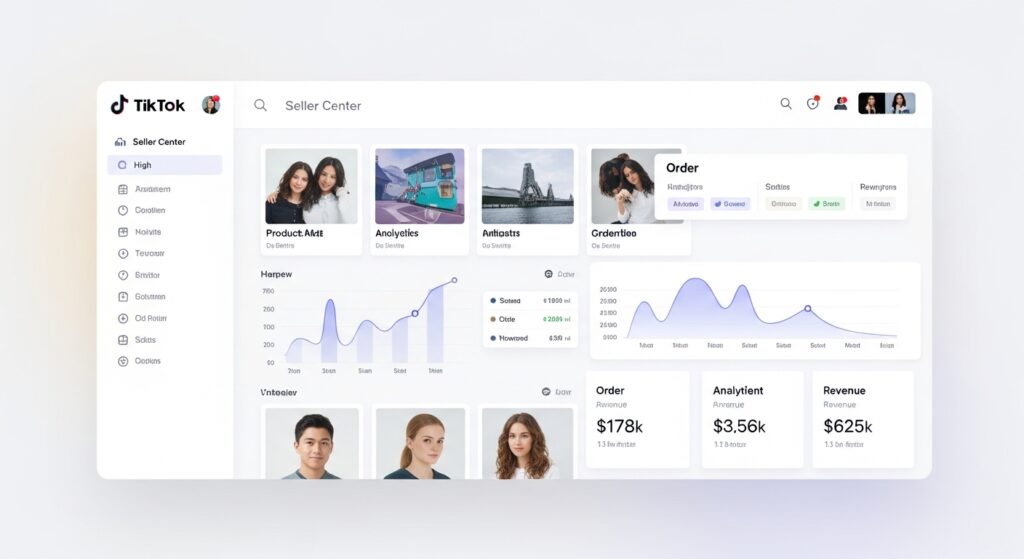
Most sellers who open the Product Opportunities tab in TikTok Shop Seller Center do the same thing: they scroll, they skim, they close it. Not because the data isn’t useful it is but because the tab hands you numbers without telling you what to do with them.
That gap is exactly what this guide closes.
What Are Product Opportunities in a TikTok Shop?

Product Opportunities is a built-in research tool inside TikTok Shop Seller Center that surfaces products with rising consumer demand, weak supply-side competition, and strong sales velocity on the platform. It’s designed to help active sellers identify what to list before a trend peaks, not after.
Or maybe I should say it this way: it’s TikTok’s way of showing you the gaps between what shoppers are searching for and what sellers are actually offering. That gap is where money lives.
According to TikTok for Business (2023), products discovered and optimized through TikTok Shop’s native discovery tools converted at up to 3x higher rates than listings added without any trend-based research. That’s not a marginal edge, it’s the difference between a product that sits and one that sells.
How to Access and Navigate the Product Opportunities Dashboard

Getting there takes about four clicks. Here’s the exact path:
To access Product Opportunities in TikTok Shop Seller Center, follow these steps:
- Log in at seller-us.tiktok.com and go to your Seller Center homepage
- Click Products in the left-hand navigation menu
- Select Product Opportunities from the dropdown
- Choose your category filter and set your date range to the last 7 or 30 days
- Sort results by Sales Growth Rate to surface trending items first
Each step takes under ten seconds. The harder part is knowing what you’re looking at once you’re inside.
The dashboard shows you several data columns. The ones that matter most:
- Search Volume: How many TikTok users searched for this type of product in the selected period
- Sales Volume: Units sold across all TikTok Shop sellers in that category
- Supply Score / Listing Count: How many sellers are currently offering similar products
- Click-Through Rate (CTR): How often shoppers click on products in this category after seeing them
Quick note: TikTok doesn’t always label these identically across Seller Center updates; the dashboard UI has shifted slightly since late 2024, so your column headers may differ slightly from older screenshots you’ve seen online.
How to Filter Product Opportunities Data the Right Way
This is where most sellers go wrong. They look at raw search volume and chase the biggest number. That’s the same logic that gets you into markets dominated by 3,000 competing listings and razor-thin margins.
Here’s the thing: high search volume only matters if supply hasn’t caught up yet.
The filter combination that actually works for early-stage and mid-tier TikTok Shop sellers:
Search Volume: Set a minimum threshold (e.g., 10,000+ monthly searches) to avoid micro-niches with no real audience
Sales Growth Rate: Prioritize products showing 20%+ week-over-week growth flat or declining trends are a red flag regardless of absolute volume
Listing Count (Supply Score): Cross-reference products where search volume is climbing but the number of active listings is still relatively low this is the supply gap signal
Category: Don’t fish in every pond at once. Pick one or two categories where you already have supplier relationships or logistics infrastructure
Look, if you’re sitting on $500–$2,000 to test new inventory, here’s what actually works: filter for products in the 10K–100K search volume range with fewer than 500 active listings. You’re not competing for the throne. You’re finding the overlooked corner of the kingdom.
How to Evaluate a Product Opportunity Before You Commit
Spotting an opportunity inside the dashboard is step one. Deciding whether to act on it is step two and most guides stop at step one.
Before you source a single unit, run this four-point check:
1. Affiliate Content Exists (or Can Exist)
Search the product name on TikTok’s creator marketplace or scroll the hashtag. If creators are already making content about similar products even loosely similar that’s distribution infrastructure you don’t have to build from scratch. If no content exists at all, ask yourself why.
2. The Margin Math Works at TikTok Shop Commission Rates
TikTok Shop takes a referral fee (currently 2–8% depending on category, as of 2025) plus you’ll likely offer affiliate commissions of 10–20% to drive video content. Run your landed cost, platform fees, and affiliate payout before you fall in love with a product.
3. Supplier Lead Time Fits the Trend Window
Trends on TikTok can peak and fade in three to six weeks. If your supplier needs 45 days to ship, you may arrive after the wave has already broken. Prioritize domestic suppliers or agents with existing US inventory for trend-sensitive products.
4. The Product Has a Demonstrable Hook
TikTok is a video-first platform. Products that are visually boring, don’t transform, don’t make satisfying sounds, or don’t solve an obvious visible problem are harder to sell here regardless of what the opportunity score says.
Some experts argue that data alone should drive sourcing decisions. That’s valid when you’re running a high-volume, low-touch catalog operation. But if you’re a small seller building a focused shop, the creative angle matters just as much as the numbers.
How to Cross-Reference Product Opportunities With Third-Party Tools
TikTok’s native dashboard is powerful. It’s also incomplete by design; it shows you platform-level aggregates, not individual seller performance or affiliate creator data.
That’s where Kalodata fills the gap.
Kalodata is a third-party TikTok Shop analytics tool that lets you see which specific sellers are moving units on a given product, which affiliate creators are driving the most GMV, and what commission rates are converting. I’ve seen conflicting data on how closely Kalodata’s figures mirror TikTok’s internal reporting; some sellers report near-perfect alignment, others see 10–15% variance. My read is that Kalodata is reliable enough for directional decisions, but don’t use it to predict exact revenue.
Here’s a practical workflow combining both tools:
| Step | Tool | What You’re Looking For |
| 1. Spot the trend | TikTok Shop Product Opportunities | High growth rate + low listing count |
| 2. Validate demand | Kalodata | Real GMV data per product/creator |
| 3. Assess competition | Both | Number of sellers + their review count |
| 4. Find affiliate angles | Kalodata | Which creator types are converting |
| 5. Source and list | Your supplier + Seller Center | Speed to market |
Product Opportunities (Native) vs. Kalodata (Third-Party):
The native tool is better suited for spotting macro trends across categories because it draws directly from TikTok’s full platform dataset. Kalodata works better when you need seller- and creator-level granularity to validate a specific product before committing inventory spend. The key difference is the level of data resolution each tool provides.
What to Do After You Identify a Winning Opportunity
Finding a product opportunity is the research phase. The selling phase is different and most guides end right where the real work begins.
Once you’ve validated a product using the framework above, here’s what comes next:
Source fast. For trend-sensitive products, domestic wholesale platforms or US-based TikTok Shop-friendly agents beat slow overseas fulfillment every time. Speed to first sale matters when a trend window is short.
Build the listing for TikTok, not Amazon. This means leading with a video-first thumbnail strategy, writing bullet points that address the emotional hook (not just features), and seeding your first product reviews through your own purchase or soft launch to close friends and followers.
Activate affiliates immediately. Go into TikTok Shop’s Affiliate Marketplace and create an Open Plan or Targeted Plan for your new product. Set a commission rate at or above the category average undercutting on commission at launch just means creators skip you in favor of a competitor offering more.
Track performance at 7 days, not 30. Trends don’t wait. Pull your CTR, conversion rate, and units sold on day 7. If the numbers are flat, diagnose whether it’s a traffic problem (need more affiliate content) or a conversion problem (pricing, listing, or product itself).
What most guides skip is this: Product Opportunities is a starting signal, not a guarantee. Two sellers can identify the same opportunity from the same dashboard. The one who wins is usually the one who moves faster and builds affiliate distribution first.
FAQs
Q: What’s the best way to use Product Opportunities on TikTok Shop?
A: Filter by sales growth rate first, then cross-check how many sellers are listing similar products. High growth plus low supply is the signal worth acting on. Don’t chase raw search volume alone.
Q: How do I find low-competition products using TikTok Shop’s Product Opportunities tool?
A: Sort by growth rate, then check the listing count column. Products with climbing search volume but fewer than 500 active listings represent the supply gap most sellers miss.
Q: Should I use Kalodata alongside TikTok Shop’s native tools?
A: Yes, for validation. The native dashboard shows trend direction. Kalodata adds seller-level and creator-level GMV data so you can confirm real demand before placing a sourcing order.
Q: Why does a product show high search volume but low sales in Product Opportunities?
A: Usually it means demand exists but the product hasn’t been promoted with good video content yet or existing listings have poor conversion rates. That’s actually an opportunity, not a red flag.
Q: When should I stop watching a product opportunity and start sourcing?
A: When you see three consecutive weeks of rising growth rate, fewer than 500–800 competing listings, and at least a few affiliate creators already making content in that space. That’s your green light.
This guide covers Product Opportunities as a product research entry point. It does not address TikTok Shop advertising strategy, creator partnership negotiation, or cross-border selling each of those is a separate workflow with its own complexity.