Your listing is live. Traffic is close to zero. No rejection notice, just silence.
That’s the most frustrating place to be on TikTok Shop, and it’s more common than the platform’s own documentation would suggest. The official TikTok Seller University page tells you what the rules are. It doesn’t tell you why breaking them tanks your visibility, or what a passing listing actually looks like compared to a failing one.
That’s what this guide does.
What Are TikTok Shop Product Detail Pages & Listing Quality Guidelines?
Product Detail Pages & Listing Quality Guidelines are TikTok Shop’s official standards governing how products must be presented in the Seller Center covering titles, images, descriptions, attributes, and pricing fields. Listings that fail these standards receive a reduced quality score, which directly limits their algorithmic reach and search visibility within the TikTok Shop tab.
TikTok Shop’s algorithm doesn’t just penalize non-compliant listings, it actively rewards complete ones. According to TikTok for Business (2023), products with fully completed listing attributes and high-quality images generate up to 30% higher click-through rates than incomplete listings. That gap compounds fast once the Shop tab algorithm starts deprioritizing your products in category browsing and search results.
Here’s the thing: most sellers treat these guidelines like a checkbox exercise. They’re not. Each field in your product detail page feeds a quality score, and that score is one of the inputs TikTok’s ranking system uses to decide which products surface in the Shop tab, in-video product cards, and LIVE shopping feeds.
Why Your Listing Gets Suppressed And Which Field Is Usually the Problem
Sellers who’ve migrated from Amazon or Shopify hit the same wall. They paste in their existing titles and descriptions, upload the same product images they’ve used for years, and expect the listings to go live without friction. Sometimes they do go live and then nothing happens.
The suppression isn’t always an outright rejection. TikTok Shop uses a tiered system:
- Full suppression: Listing violates a hard rule (prohibited content, misleading claims, policy-banned terms in title)
- Soft demotion: Listing is live but quality score is below the threshold TikTok needs to surface it in organic placements
- Attribute incompleteness penalty: Listing is missing required category-specific attributes, dropping its eligibility for filtered search results
Most sellers only catch the first one. The second and third are invisible and they’re responsible for the majority of “live but no impressions” situations.
Quick note: The attribute incompleteness penalty is the one most guides skip entirely. If your category requires 6 attributes and you’ve filled in 3, your listing won’t appear in any filtered searches for that category. It’s not suppressed. It’s just invisible to the people most likely to buy it.
TikTok Shop Product Title Guidelines: What Actually Works
The title field is where cross-platform sellers create the most problems for themselves. Amazon-style titles loaded with keyword strings, size variants, and brand name repetitions fail TikTok’s title quality check in specific, documented ways.
TikTok Shop title rules (as documented in Seller University, 2024 update):
- Maximum 255 characters
- Must include the product’s core name clearly within the first 60 characters
- No promotional language (words like “best, cheapest, #1, hot sale, free shipping are flagged)
- No special characters used decoratively (★, ✔, emoji strings)
- No all-caps words except recognized brand acronyms
- Must not duplicate the category name redundantly
To write a title that passes TikTok’s quality check and ranks in Shop tab search, follow these steps:
- Start with the brand name or product type whichever is more searchable
- Add the primary descriptor (material, function, or key feature) within the first 40 characters
- Include one size, color, or variant detail if it’s the primary differentiator
- Add one secondary keyword phrase naturally no forced comma-separated keyword stacking
- Stay under 120 characters TikTok displays roughly 60–80 on mobile before truncation
Here’s an example most sellers get wrong:
Non-compliant title (Amazon-migrated): BEST Stainless Steel Water Bottle 32oz BPA Free Insulated Travel Mug Tumbler ★ Hot Sale ★ Free Gift
Compliant TikTok Shop title: Hydro Flask 32oz Stainless Steel Insulated Water Bottle Wide Mouth, Leak-Proof Lid
The compliant version is shorter, cleaner, and contains no flagged terms. It will pass quality review. The first one triggers at least four violations simultaneously.
Image Requirements: The Standard Is Higher Than You Think
This section is where the gap between live and performing listings is most visible.
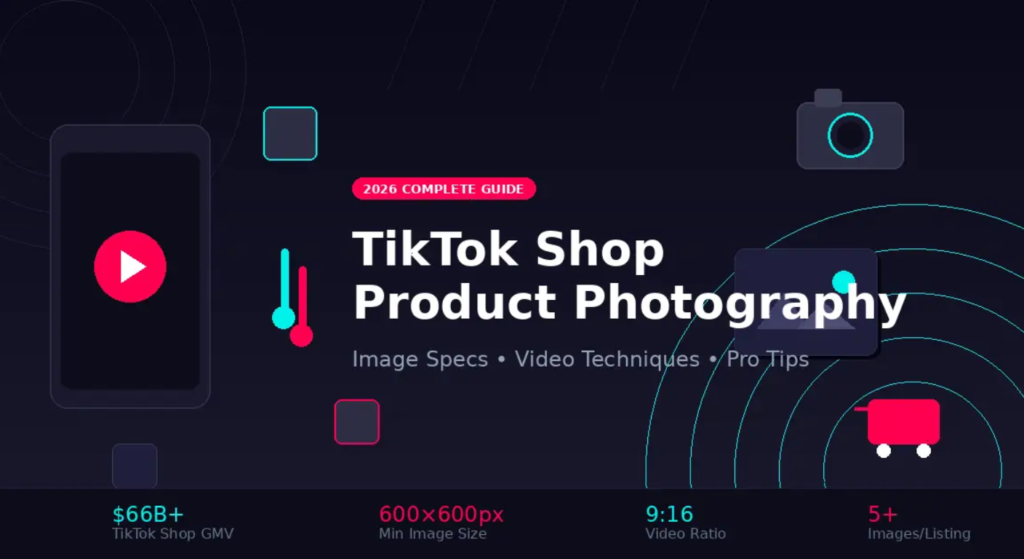
TikTok Shop’s image guidelines aren’t just about resolution. They’re about what appears in the image and how the platform’s computer vision system reads it. Listings get soft-demoted not rejected when images technically meet the minimum spec but fail quality scoring.
Hard requirements (non-negotiable):
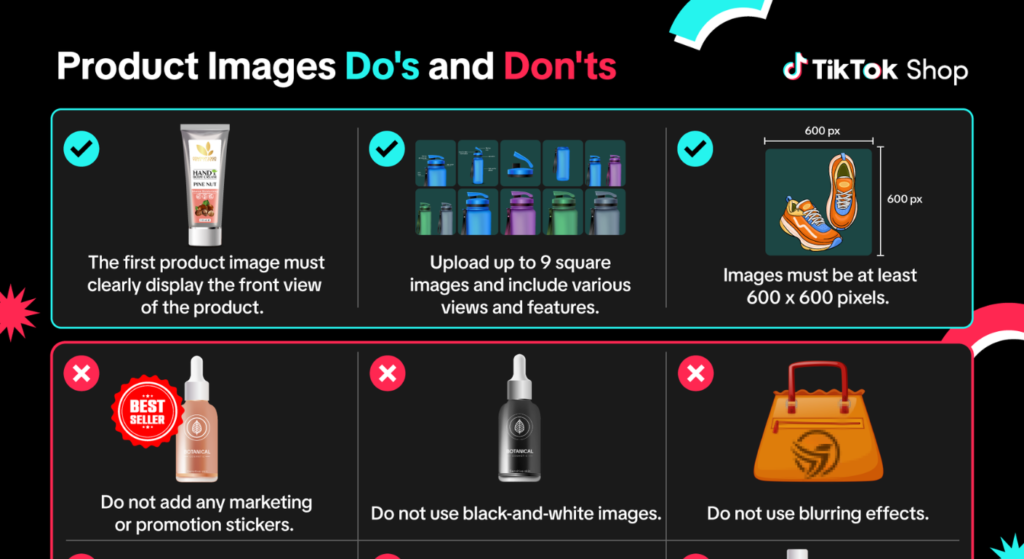
- Main image: pure white background (RGB 255, 255, 255), no shadows, no props
- Minimum resolution: 800x800px; recommended 1200x1200px
- No watermarks, no seller logos, no promotional text overlaid on main image
- Product must occupy at least 85% of the image frame
- No borders or frames
Quality scoring factors (where most sellers lose points):
- Image sharpness and lighting quality blurry or poorly lit images are scored down even if they pass the resolution minimum
- Color accuracy: TikTok’s system flags images where product color appears inconsistent with the title or attributes
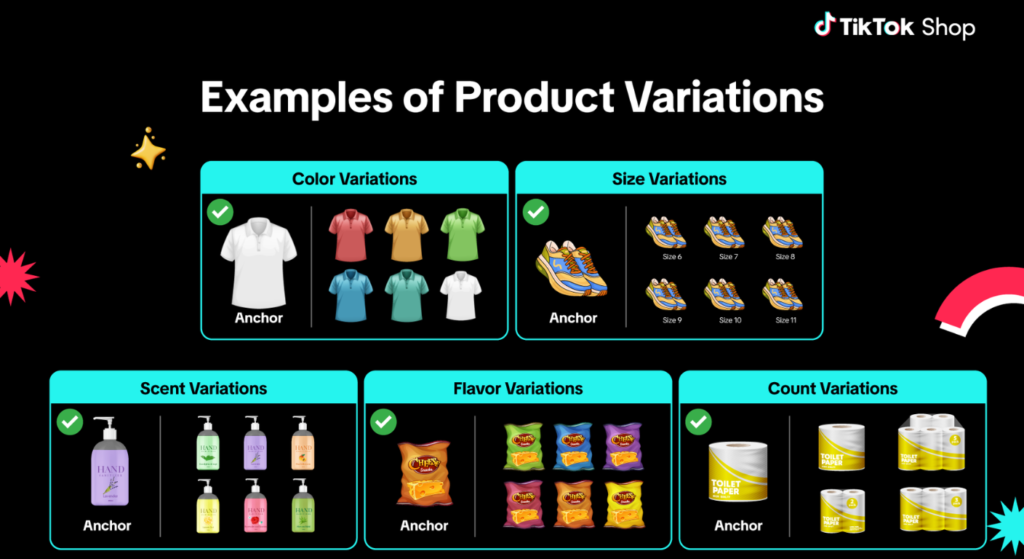
- Main image consistency across variants if you have 5 color variants, each needs a distinct main image matching that variant
Canva can help you prep images that hit the white background and sizing specs but for product photography itself, it can’t replace proper lighting. Sellers who use Canva to reformat existing photos sometimes create a different problem: they crop out important product detail in the process of filling the frame.
Or maybe I should say it this way: Canva is the right tool for the layout. It’s the wrong tool for the photo.
Product Descriptions: Structured for TikTok, Not for Amazon
TikTok Shop descriptions have a different job than Amazon bullet points. Amazon descriptions are written for a buyer who’s already comparison-shopping and reading carefully. TikTok Shop descriptions appear below a product listing that the buyer likely discovered through a video so they’re already warm, already interested, and scanning for confirmation rather than discovery.
That changes how you write.
What works on TikTok Shop descriptions:
- Open with the product’s single most compelling benefit not the brand story
- Use short paragraphs, 2–3 sentences maximum
- Include use case scenarios ideal for hiking, gym sessions, or daily commute
- Avoid HTML tags TikTok Shop’s description field renders plain text; HTML code appears as literal characters
- Do not repeat the title verbatim in the first line of the description
- Character limit: 5,000 characters, but listings with 300–800 characters in well-structured descriptions consistently outperform walls of text in engagement metrics reported by Seller University
I’ve seen conflicting data on keyword density in descriptions; some TikTok Shop community posts claim 2–3% keyword density improves ranking, others suggest TikTok’s algorithm doesn’t index description text for search at all. My read is that descriptions are primarily a conversion tool on TikTok, not a ranking tool, so write for the buyer first and treat any keyword inclusion as secondary.
Listing Attributes: The Hidden Ranking Factor Nobody Talks About
Most guides stop at titles and images. This one won’t.
Every product category in TikTok Shop has a set of required and recommended attributes, things like material, size, age group, target gender, use scenario, and care instructions. Required attributes are mandatory for listing approval. Recommended attributes are optional but they’re not actually optional if you want your listing to rank.
Here’s the counter-intuitive part: TikTok Shop’s search filtering system uses attributes, not title keywords, to match products to buyers who use category filters. If a buyer searches for women’s running shoes and filters by size: 8 and color: black, only listings with those attributes populated will appear regardless of what the title says.
Sellers using Helium 10 for cross-platform keyword research often identify high-volume search terms and add them to titles without realizing those same terms need to be reflected in attributes to actually match filtered searches. The keyword in the title gets the listing indexed. The attribute gets it surfaced to the right buyer.
Some experts argue that filling in every recommended attribute is time-consuming and doesn’t move the needle enough to justify the effort on low-SKU catalogs. That’s valid for sellers with 5–10 products and strong video traffic driving direct clicks. But if you’re relying on organic Shop tab discovery and most new sellers are incomplete attributes are a silent traffic killer.
Listing Quality Checklist Pre-Publish:
- Title under 120 characters, no promotional terms, core product name in first 40 chars
- Main image: white background, 1200x1200px, no text overlays, product fills 85%+ of frame
- Minimum 3 additional product images (lifestyle, detail, dimension/scale)
- All required attributes for the category completed
- Minimum 3 recommended attributes completed
- Description: 300–800 characters, no HTML, opens with primary benefit
- Price field populated (no $0 placeholder listings)
- SKU identifiers completed for all variants
- Shipping template assigned
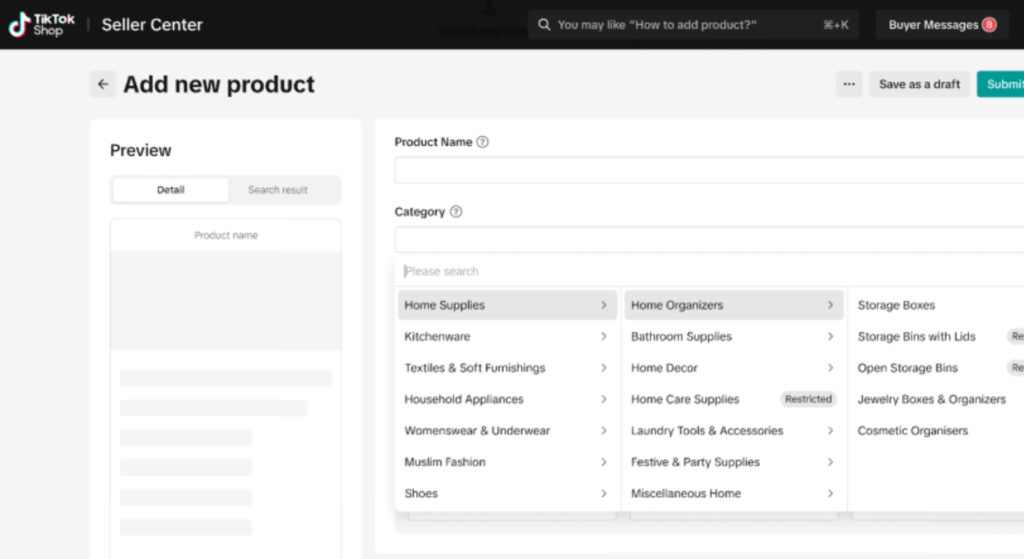
- Product category assigned at the most specific sub-category level available
Quick Comparison: TikTok Shop Listing vs. Amazon Listing What Transfers and What Doesn’t
| Element | Amazon | TikTok Shop | Key Difference |
| Title style | Keyword-stacked, 200+ chars | Conversational, clean, under 120 chars | Promotional terms penalized on TikTok |
| Main image | White background | White background | Same standard — but TikTok scores sharpness algorithmically |
| Bullet points | 5 bullet points, feature-led | Not applicable — use description field | TikTok uses plain text, not bullets |
| Attributes | Backend keywords + attributes | Front-end attributes directly affect search filters | Attributes are a ranking factor on TikTok, not just metadata |
| Description intent | Discovery + conversion | Conversion only | TikTok buyer is already warm from video exposure |
What most guides skip is the attribute-to-search-filter connection. Amazon sellers are trained to think of attributes as backend metadata. On TikTok Shop, they’re front-end ranking signals.
FAQs
Q: What’s the best image format for TikTok Shop product listings?
A: JPEG or PNG on a pure white background, minimum 800x800px, ideally 1200x1200px. Product should fill at least 85% of the frame with no text overlays or watermarks.
Q: How do I improve my listing quality score on TikTok Shop?
A: Complete all required and recommended category attributes, use a compliant main image, write a clean title under 120 characters with no promotional language, and add a structured product description between 300–800 characters.
Q: Why does my TikTok Shop listing have no impressions even though it’s live?
A: Low impressions typically signal a soft demotion from incomplete attributes, a below-threshold quality score, or a title containing flagged promotional terms none of which trigger a rejection notice but all of which limit organic reach.
Q: Should I use the same product title from Amazon on TikTok Shop?
A: No. Amazon titles are keyword-stacked and often contain promotional terms that TikTok’s system flags. Rewrite titles to be conversational, under 120 characters, and free of terms like best, hot sale, or special decorative characters.
Q: When should I use Helium 10 for TikTok Shop keyword research?
A: Use Helium 10 to identify high-volume search terms for your product category, then incorporate those terms naturally into your TikTok Shop title and description but also confirm they’re reflected in your listing’s attribute fields where applicable.
Look, if you’re sitting on a catalog of 50+ products migrated from another platform and none of them have been audited against TikTok’s attribute requirements, that checklist above is where you start. Not with titles. Not with images. Attributes first, because that’s the invisible problem.