You’ve set up your TikTok Shop account. You’re staring at the Add Product screen. And suddenly it hits you this is more complicated than it looked in that YouTube video.
That’s not your fault. Most beginner resources walk you through clicking buttons. Almost none of them explain what actually makes a listing work, what gets it approved, what gets it found, and what makes someone stop scrolling and buy.
This guide covers all three.
What Is a Product Listing on TikTok Shop?
A product listing on TikTok Shop is a seller-created page inside TikTok Shop Seller Center that displays a product’s title, images, description, price, and attributes to shoppers browsing the TikTok app. It functions as your product’s storefront and directly affects both search visibility and conversion rate within the platform.
Your listing isn’t just a data entry form. It’s the first and sometimes only impression a buyer gets before tapping Add to Cart. TikTok’s algorithm uses your listing data to decide who sees your product and when.
According to TikTok’s 2023 Commerce Insights report, products with complete listings including high-quality images, detailed descriptions, and relevant attributes see up to 30% higher conversion rates compared to incomplete listings. That’s not a minor edge. That’s the difference between a product that moves and one that collects dust in your Seller Center dashboard.
What Information Does a TikTok Shop Listing Actually Require?
Here’s where a lot of sellers get tripped up. The Seller Center form has required fields and optional fields but optional doesn’t mean unimportant.
Required fields for every listing:
- Product title up to 255 characters
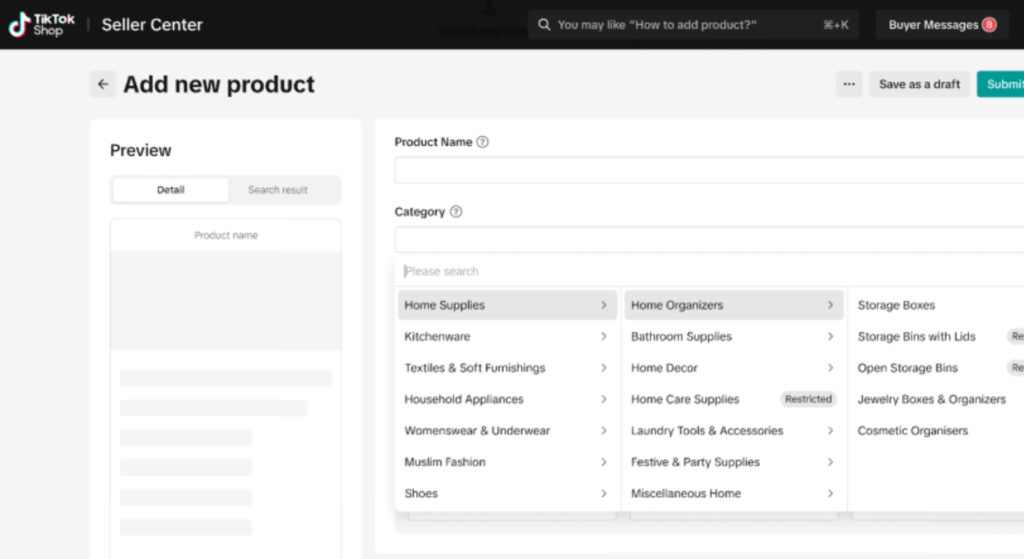
- Category you select from TikTok’s predefined category tree
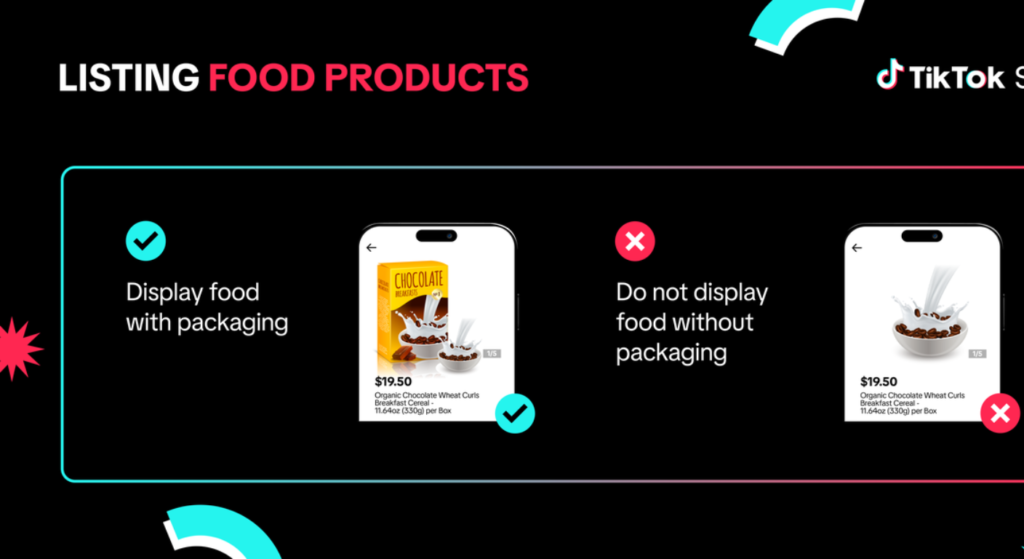
- Main product image minimum 1 image, white or clean background recommended
- Price in USD for US sellers
- Stock quantity
- At least one product variant (if applicable size, color, etc.)
Fields that are technically optional but practically essential:
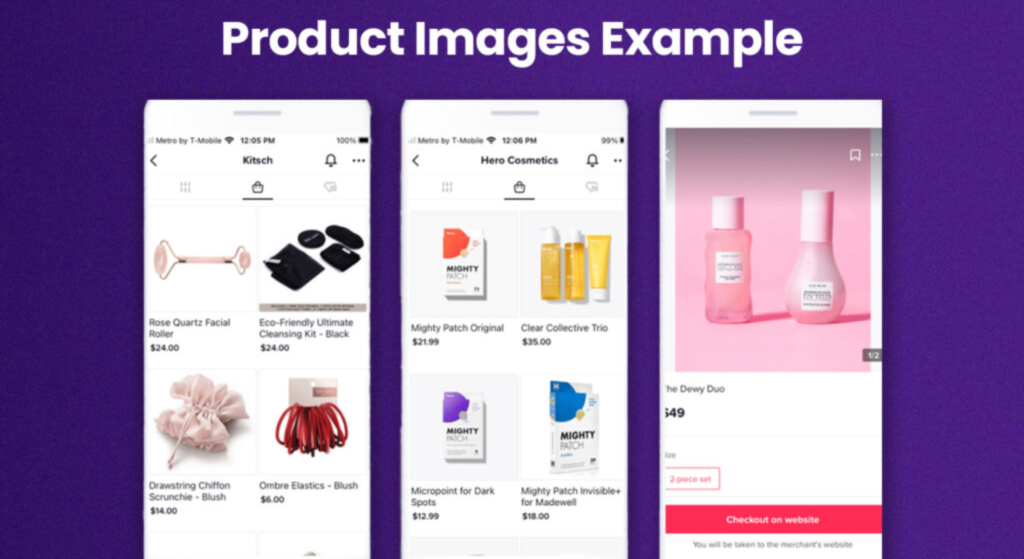
- Additional images (up to 9 total)
- Product description
- Product attributes (material, brand, size specs varies by category)
- Product video
Here’s the thing: TikTok’s search algorithm prioritizes listings that fill every available field. Leave the attributes section blank on a clothing item and you’re essentially invisible to filtered searches. Fill everything in and you give the algorithm more data to match your product to buyer intent.
Quick note: some categories like beauty, supplements, and electronics have additional compliance requirements. If your product falls into a regulated category, check TikTok Shop’s Prohibited and Restricted Items policy before you list.
How to Create a Product Listing on TikTok Shop Step by Step
To create a product listing on TikTok Shop, follow these steps:
- Log into TikTok Shop Seller Center at seller-us.tiktok.com
- Click Products in the left menu, then select Add New Product
- Choose the correct product category from the dropdown tree
- Upload at least one compliant product image (white background, no watermarks)
- Write your product title include your main keyword in the first 60 characters
- Fill in all available attribute fields for your category
- Set your price and inventory quantity
- Write a product description of at least 150 words covering key features and benefits
- Click Submit for Review approval typically takes 1–3 business days
Most sellers rush steps 5, 6, and 8. Those three steps are exactly where rankings and conversions are won or lost.
When you get to the image upload section, use Canva to create clean, professional product visuals if you don’t have a photographer. Canva’s e-commerce templates are sized correctly and easy to adapt. Avoid text overlays on your main image TikTok’s guidelines flag them.
How to Write a TikTok Shop Product Title That Actually Ranks
This is what most guides including TikTok’s own University course skip entirely.
Your product title is the single most important SEO element in your listing. TikTok Shop has its own internal search engine, and it reads your title the same way Google reads a page title: for relevance signals.
A weak title looks like this:
Blue Wireless Earbuds Good Quality
A title that ranks looks like this:
Wireless Earbuds Bluetooth 5.3, Noise Cancelling, 40H Playtime, IPX5 Waterproof Compatible with iPhone & Android
The difference isn’t creativity. It’s intentional keyword placement.
Title writing rules that work:
- Lead with your primary product keyword not your brand name
- Include the most searched spec or benefit (battery life, material, size, compatibility)
- Use natural language, not comma-stuffed keyword lists
- Stay under 255 characters, but aim for at least 80
- Mirror how your buyer would search, not how you’d describe the product internally
Some sellers coming from Amazon use Helium 10 to identify high-volume search terms, then adapt those keywords for TikTok Shop titles and descriptions. It’s not a native TikTok tool, but the keyword data transfers while shoppers searching for products use similar language across platforms.
Or maybe I should say it this way: you’re not writing a title for yourself. You’re writing it for a 26-year-old at 11pm who types three words into TikTok search and either finds your product or your competitor’s.
Why Products Get Rejected And How to Fix It
Rejection is more common than most new sellers expect. And TikTok’s rejection notices are not always specific.
Here are the most common reasons a listing gets flagged or rejected, based on what sellers consistently report inside TikTok seller communities:
1. Non-compliant main image
Watermarks, promotional text SALE, 50% OFF, borders, and collages in the main image slot will get your listing flagged. Use a single clean product shot.
2. Prohibited or restricted product category
Some items require pre-approval certain supplements, electronics with specific battery specs, and items making health claims. Check the restricted items list before listing, not after rejection.
3. Misleading product title or description
Claiming certifications you don’t have, using brand names you’re not authorized to sell, or including contact information in your description are all grounds for immediate rejection.
4. Missing or incorrect category selection
Listing a kitchen gadget under Home Décor instead of Kitchen Tools doesn’t just hurt discoverability; it can trigger a category mismatch flag.
5. Incomplete variant setup
If you offer multiple sizes or colors but haven’t mapped them correctly in the variant section, the listing may be rejected or go live with broken stock availability which TikTok treats as a fulfillment risk.
Look, if you’ve submitted a listing and it’s sitting in review for more than 3 business days without movement, that’s usually a sign something triggered a manual review. Log into the Seller Center, check the Product Management tab for rejection notes, fix the flagged item, and resubmit. Don’t just resubmit the same listing unchanged.
What Makes a TikTok Shop Listing Actually Convert
Getting approved and getting found is step one. Getting someone to buy is a completely different challenge.
Quick Comparison:
| Element | Weak Listing | Optimized Listing |
| Title | Generic, brand-first | Keyword-rich, benefit-led |
| Images | 1–2 photos, basic | 6–9 images including lifestyle, size chart, detail shots |
| Description | 1–2 sentences | 150–300 words, feature + benefit format |
| Attributes | Partially filled | All available fields completed |
| Video | None | 15–30 second product demo |
Label: Quick Comparison, TikTok Shop Listing Quality Tiers
The product description is where most sellers underinvest. It won’t make or break your search ranking the way the title does, but it’s where hesitant buyers go to convince themselves. Write it like you’re answering the three questions every buyer has: What exactly is this? Why is it better than similar options? Will it work for my situation?
I’ve seen conflicting data on description length. Some TikTok seller communities swear by long-form copy, others argue that TikTok’s audience is too visual to read. My read is that the description matters most for higher-ticket items ($40+) where buyers need more reassurance before committing.
One thing most guides skip entirely: your product video. TikTok is a video platform. A listing with a product demo video isn’t just more engaging — it signals to TikTok’s algorithm that your listing is high quality. Even a simple 20-second clip showing the product in use, filmed on a phone with decent lighting, outperforms no video almost every time.
FAQs
Q: What’s the best way to write a TikTok Shop product title?
A: Lead with your primary keyword, include your most important spec or benefit, and write the way a buyer would search not the way you’d describe the product internally. Aim for at least 80 characters.
Q: How do I add a product to TikTok Shop?
A: Log into TikTok Shop Seller Center, click Products → Add New Product, complete all required and optional fields, upload compliant images, and submit for review. Approval typically takes 1–3 business days.
Q: Should I fill in the optional attribute fields on my listing?
A: Yes. TikTok’s search algorithm uses attribute data to match your product to filtered searches. Leaving attributes blank limits your visibility even if your title is strong.
Q: Why does my TikTok Shop product keep getting rejected?
A: The most common causes are non-compliant main images (watermarks, text overlays), prohibited category claims, incorrect variant setup, or a category mismatch. Check your rejection notice in Seller Center and fix the specific flagged field before resubmitting.
Q: When should I add a product video to my TikTok Shop listing?
A: Always, if possible. Even a basic 15–30 second demo filmed on your phone signals listing quality to TikTok’s algorithm and gives hesitant buyers the visual proof they need to convert.
This guide covers the core listing process for standard products on TikTok Shop US. It does not address dropshipping listing rules, TikTok Shop affiliate product pages, or the Fulfilled by TikTok (FBT) logistics requirements, which have separate setup flows.